Maximize Your HSA.
Keep Your Receipts Private.

The local-first receipt scanner that automatically categorizes your eligible medical expenses using advanced AIβ€”without compromising your privacy.

Download for iOS Get it on Android

1. Snap a Photo

Open the app and point your camera at any pharmacy or clinic receipt. You can also upload directly from your camera roll. The image is compressed instantly to save your data.
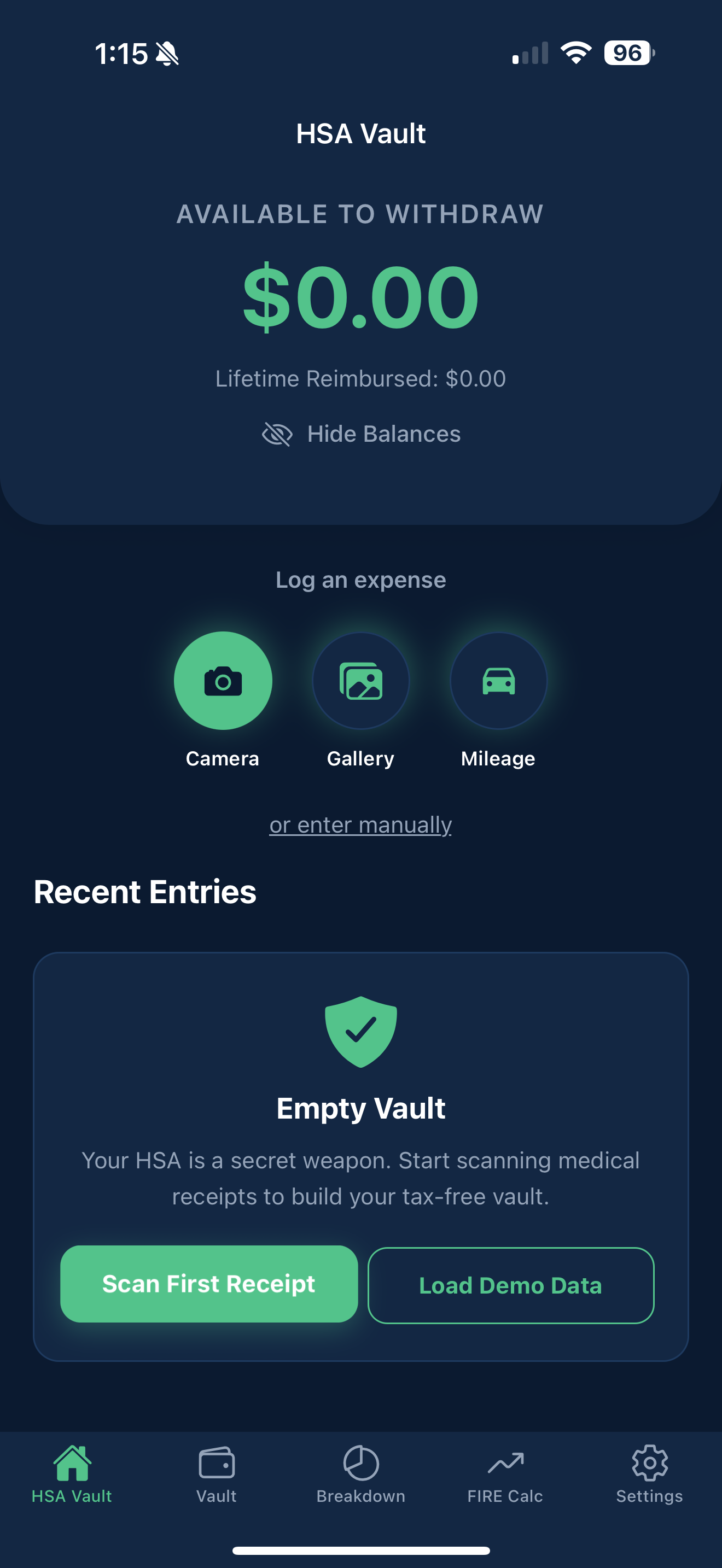
πŸ“Έ Auto-Crop πŸ“΄ Offline Mode
HSA Vault Scanner Screen Mockup

2. AI Extracts the Details

Our specialized Vision AI reads the itemized list, separating HSA-eligible items (like prescriptions) from ineligible ones (like candy), and calculates your exact reimbursable total based on IRS guidelines.
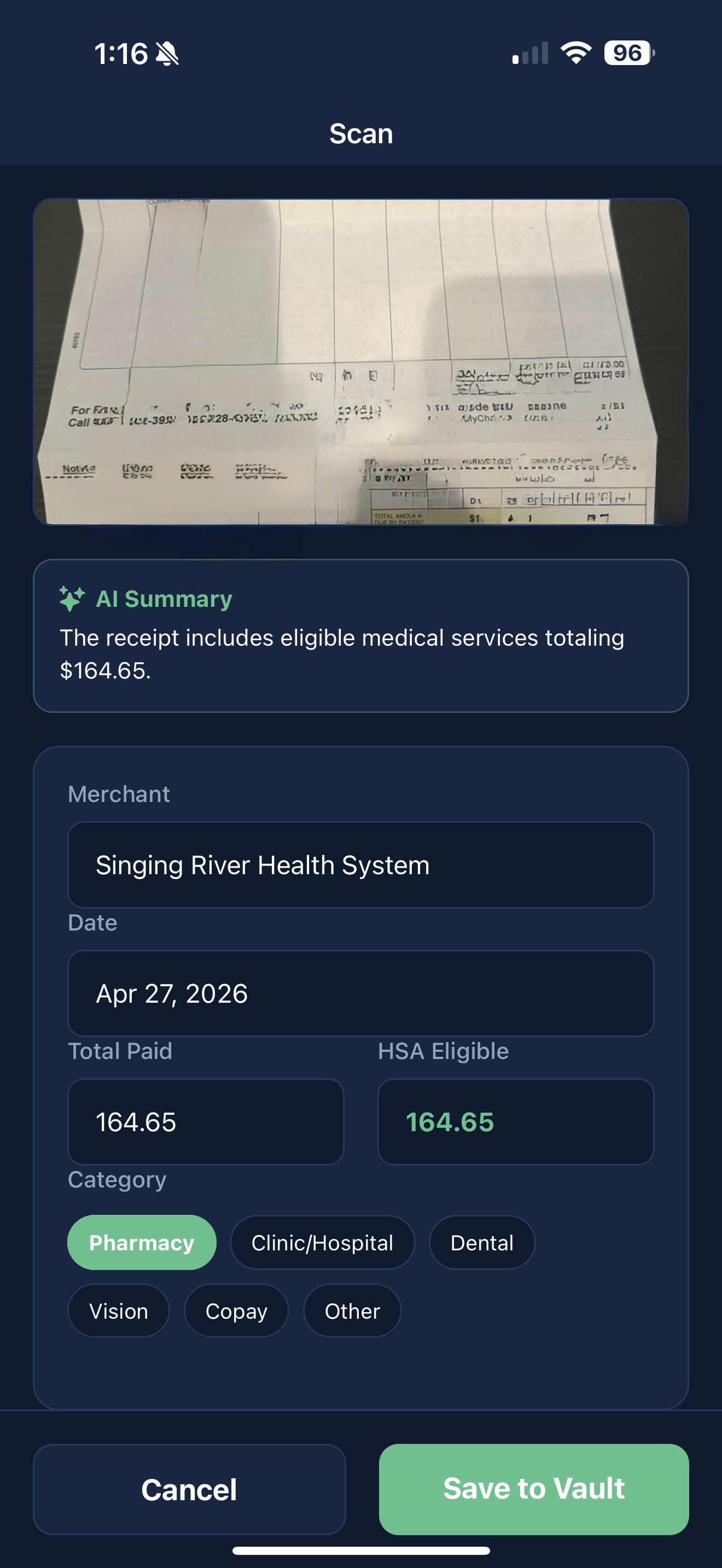
πŸ€– Item Categorization ⚑ Lightning Fast
HSA Vault Receipt Detail Modal Mockup

3. Secure in Your Vault

The parsed data and encrypted image are saved directly to your device's internal storage. Keep track of what you've been reimbursed for, and have an audit-proof record ready for tax season.
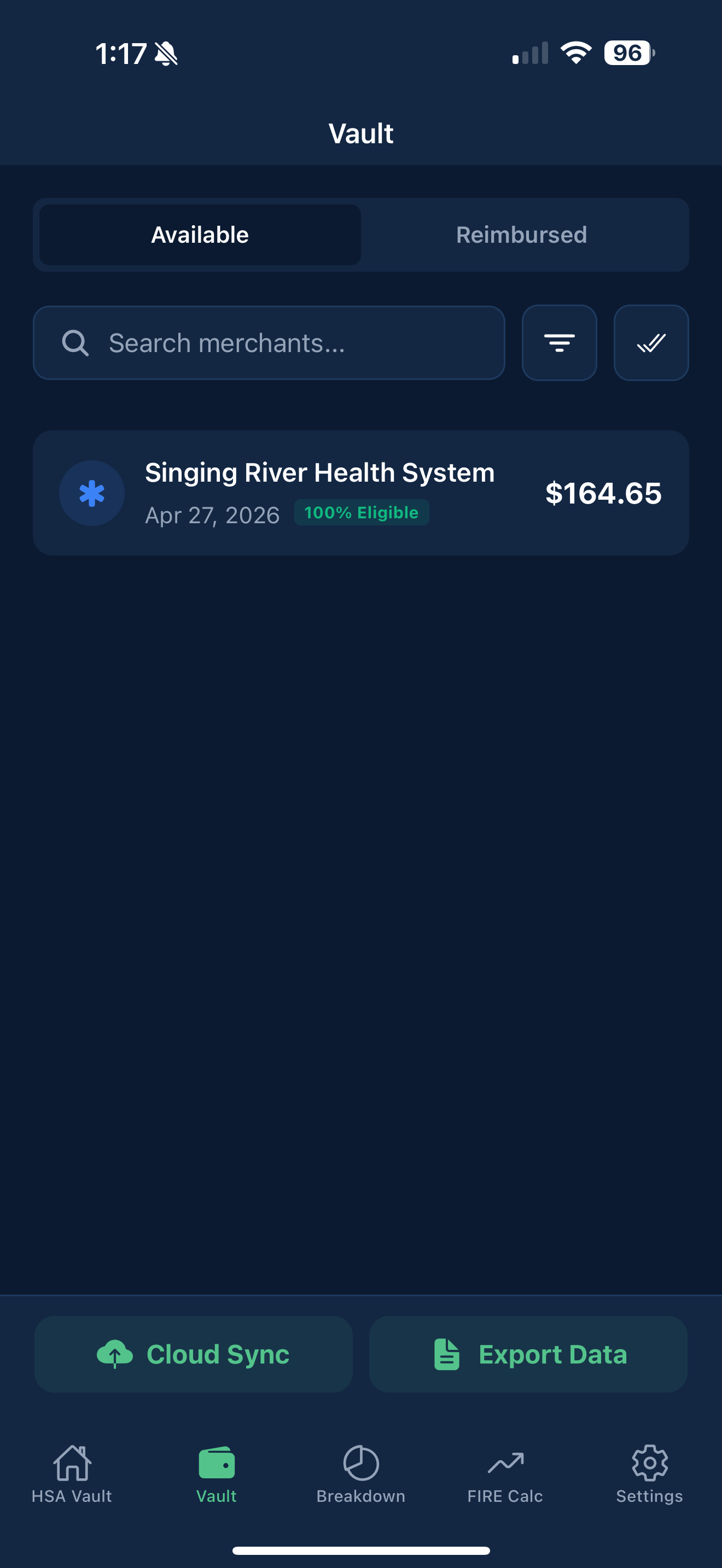
πŸ”’ Local Storage πŸ“Š Reimbursement Tracking
HSA Vault Main Vault Screen Mockup

Built for Privacy & Performance

πŸ€–

AI-Powered Auditing

Just point your camera. Our specialized AI instantly extracts the merchant, date, and intelligently separates HSA-eligible items from ineligible ones based on IRS guidelines.

πŸ”’

Local-First Security

Your financial and health data never sits on a public server. Receipts are encrypted and stored directly on your device. You own your data, period.

⚑

Offline Resilience

No signal at the pharmacy? No problem. Snap a photo and the app will save it as a secure draft, automatically processing the scan the moment you reconnect.

Frequently Asked Questions

Is my financial and medical data safe?
Absolutely. HSA Vault is built on a "local-first" architecture. Your receipts, totals, and lists are stored locally on your device's encrypted storage. We do not maintain a central database of your personal expenses.
How does the AI scanning work?
When you scan a receipt, the image is securely sent via a temporary proxy to an advanced Vision AI model. The AI reads the text, extracts the data, returns the structured information to your phone, and the image is immediately discarded from the processing server.
What if the AI makes a mistake reading my receipt?
You are always in control. If a receipt is blurry or an item is miscategorized, you can instantly edit the totals, change the merchant name, or tap "Retake" to scan a clearer photo.
Do I need an internet connection to use the app?
You can snap photos of receipts offline! They will be saved securely as "Drafts" in your vault. Once you regain internet access, you can simply tap "Retry Scan" to let the AI process the saved images.